Notice it.
A supervisor checks the agreed standard and records the finding.
Build a checklist once and use it at every site. Inspectors score each item on their phone, add photos, and submit. JanGuard records where they submitted from and opens a deficiency for every failed item.
Review item scores, record deficiencies, and check the summary before completing the inspection.
Paper towel dispenser empty. Restock and confirm with the site coordinator.
Severity: Minor · Photo can be attached to the itemRestock paper towel dispenser.
Minor deficiencyReview the recorded responses and findings before completing the inspection.
Interface recreation based on JanGuard’s app screens · Fictional sample data · Select the tabs to explore
Follow the story as you scroll, or choose a moment below.

Assigned to Northside Cleaning.
Assigned to Northside Cleaning.
Waste removed. Area rechecked. Resolution recorded.
Illustrative product story · fictional sample data
A supervisor checks the agreed standard and records the finding.
The deficiency has context and a team responsible for the follow-up.
Recheck the work before recording the finding as resolved.
Try the interactive exampleScore three sample items, inspect the finding, and follow its resolution. The scene and records are illustrative.
Uncheck an item to see how a finding changes the result.
2/3 items passed
Assigned to Northside Cleaning
Open · awaiting correction
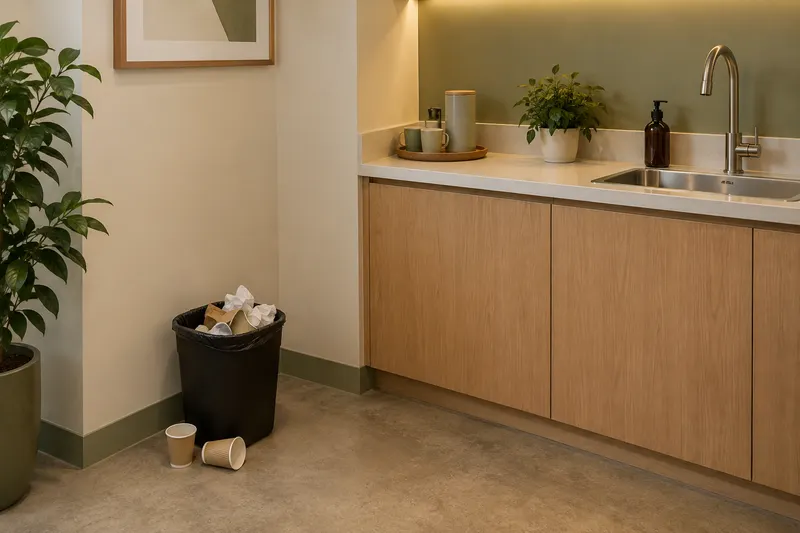
Northside Cleaning records the correction. A supervisor verifies the sample finding.
Illustrative resolution recordIllustrative scene and records, not a customer result. The resolution is a record example, not an after photo.
Read the sample inspectionAn inspection is useful when the next action is clear.
Build checklists by section. Score items in points, pass or fail, or yes or no, or require a photo. A failed critical item can zero the whole score.
Inspectors work through one section at a time in the phone's browser. The camera opens from any item.
JanGuard records the phone's location at submission. Within 200 meters of the building counts as a match. Otherwise you see how far off it was.
Low scores and failed items become deficiencies rated minor, major, or critical. Resolve them, verify the fix, or turn one into a work order.
Inspect each building monthly, quarterly, or twice a year. Plan each inspector's day as a route with an arrival time for every stop.
Survey tenants and property managers monthly, quarterly, or on demand. Tenants rate cleanliness and responsiveness from an emailed link, with no login.
Completing an inspection opens a deficiency for each failed or low-scored item. Your team resolves it with notes and verifies the fix, or turns it into a work order with its priority set from the severity. Problems found between inspections go on the Issues and Cases board, including client complaints, QR reports, and, if you turn it on, every missed service.

Turn on inspections in a client's portal and the property manager sees each completed inspection, its score, and the open deficiencies for their buildings. For anyone else, copy a share link. It opens the finished inspection with photos, no login needed.
No. Inspections run in the phone's browser. Inspectors sign in to JanGuard, open the inspection, and work through it section by section. The phone's camera opens from any item for photos.
The inspection still submits. It shows as "Location not verified" instead of a match or a distance from the building. When a location is recorded, the inspection shows it on a map next to the building.
Yes. Vendor companies can run quality inspections on their own cleaners. Self-inspection and walk-through templates are open to everyone who runs inspections. Your coordinators create and edit the quality inspection templates.
Yes. Open the scope of work and generate an inspection from it. Each area becomes a section and each task becomes a checklist item, so the inspection matches what the client pays for. Edit the result like any other template.
You pick monthly, quarterly, or twice a year for each building, and JanGuard suggests one from what the account bills. By default, accounts at $4,000 a month or more get monthly inspections, $500 to $3,999 get quarterly, and smaller accounts get two a year.
Set up your buildings and crews, print your QR codes, and watch the first reports come in. 30-day free trial.